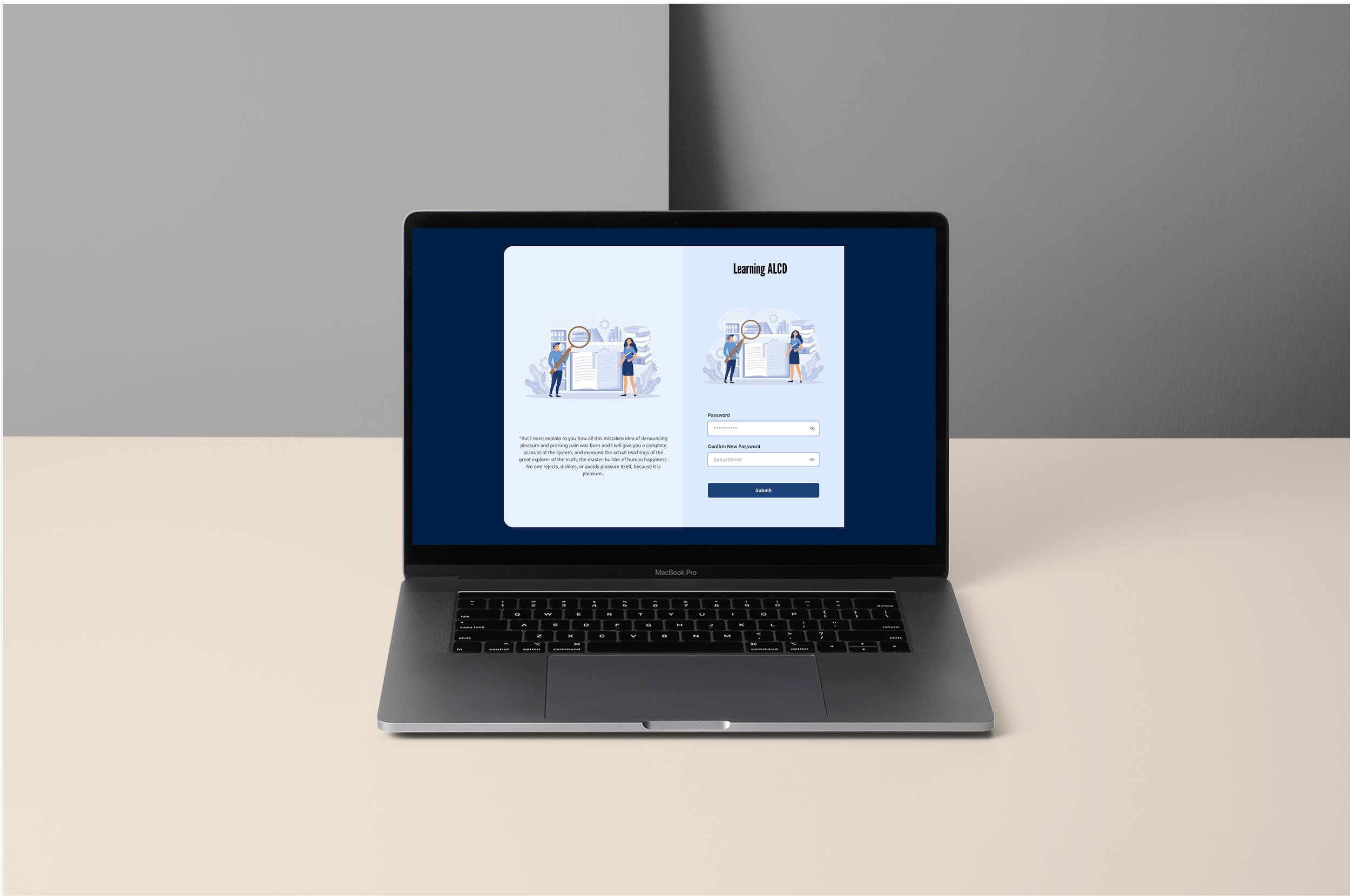
Learning Management Systems
Project Title: LMS Case study
Project Duration: 5 month
My Role: UX/UI Designer
Tools Utilized: Sketch, Figma, Adobe XD, User Testing
Year Completed: 2024

Introduction
This case study focuses on creating a seamless, user-friendly LMS admin platform that simplifies course management and empowers administrators to support employee learning with ease.
Challenge Statement
How might we create an intuitive admin platform for a Learning Management System that streamlines course management, employee enrollment, and performance tracking, enabling administrators to focus on delivering effective training?
Empathize
Survey
I designed a survey to assess LMS administrators' experiences. Below are some of the survey questions and the synthesized results:
How would you rate the adequacy of the current features in your LMS?
How satisfied are you with the modernity and user-friendliness of your LMS interface?
How effective are the search and filtering functionalities in helping you find the content you need?
How intuitive do you find the navigation within your LMS?
How easy is it to locate the information you need within the LMS?
Synthesized Results
Persona & Empathy Map
I conducted user interviews with LMS administrators to understand their daily tasks, frustrations, and needs. I analyzed survey data to identify common pain points, such as complex navigation, inefficient reporting, and lack of automation. Based on these insights, I developed three detailed personas—Training Manager, LMS Administrator, and IT Administrator—each representing different user roles. Their behaviors, goals, and struggles were mapped into DOES, THINKS, FEELS, and SAYS categories to visualize their experiences. This research-driven approach ensures that the design decisions align with real user needs, making the LMS admin platform more intuitive and efficient.


Define
Synthesize Research Findings
After gathering insights from user interviews, surveys, and empathy mapping, I synthesized the key findings to define the core problem statement and user needs. This phase focuses on clearly identifying the most critical challenges LMS administrators face and setting a direction for solutions.
Problem Statement
LMS administrators are busy professionals who need an intuitive and efficient platform to manage training programs because the current system is complex, time-consuming, and lacks automation.
Key Insights & User Needs
-
✔ Navigation & Usability Issues – The interface is cluttered, requiring too many clicks to complete simple tasks.
✔ Inefficient Search & Filters – Finding users or courses is time-consuming due to limited filtering options.
✔ Manual & Repetitive Tasks – Bulk actions and automation are missing, increasing admin workload.
✔ Limited Reporting & Customization – Reports lack flexibility, forcing admins to compile data manually.
✔ Integration & System Performance – The system doesn’t integrate well with other tools, making management inefficient.
-
✅ Simplified Navigation – A streamlined interface with clear structure and quick access to frequently used features.
✅ Enhanced Search & Filtering – Advanced filtering options and a more effective search function.
✅ Automation for Routine Tasks – Bulk actions for user enrollment and automated progress tracking.
✅ Customizable & Visual Reporting – Flexible, easy-to-use reports with interactive data visualization.
✅ Seamless Integrations – The LMS should work smoothly with HR tools and external reporting systems.
-
🔹 Redesigning navigation to improve accessibility and efficiency.
🔹 Optimizing search and filters to enhance discoverability.
🔹 Implementing automation for repetitive tasks like user management.
🔹 Enhancing reporting tools with better customization and visualization.
🔹 Improving integrations to streamline workflows and data sharing.
Ideate
Goal Statement
The goal is to design an intuitive and efficient LMS admin platform that simplifies navigation, enhances search and reporting capabilities, and automates routine tasks. This will help administrators manage training programs more effectively, reduce manual workload, and improve overall user satisfaction.
HMW (How Might We) Questions
-
HMW make the LMS navigation more intuitive and reduce cognitive load?
HMW provide quick access to frequently used features?
HMW streamline workflows to reduce unnecessary clicks?
-
HMW improve search functionality to help admins find users and courses faster?
HMW create smarter filtering options for managing large datasets?
HMW enable keyword-based and category-specific search?
-
HMW automate repetitive admin tasks such as user enrollment and progress tracking?
HMW introduce bulk actions to make management more efficient?
HMW integrate AI-driven recommendations for course assignments?
-
HMW improve the reporting system to allow more customization?
HMW provide better data visualization for tracking learner progress?
HMW allow exporting reports in multiple formats for different stakeholders?

UserFlow
Navigation & Usability Enhancements
✅ Simplified sidebar navigation with clear categories and icons.
✅ Reduced the number of clicks needed for common admin actions.
✅ Improved information hierarchy to make key features easily accessible.
✅ Enhanced visual contrast and modernized UI for better readability.
UI & Visual Design Improvements
✅ Transitioned to a modern, clean UI with soft colors and improved spacing.
✅ Enhanced icons and visual cues to improve feature recognition.
✅ Created consistent typography and spacing to maintain design clarity.
✅ Improved mobile responsiveness for better access on different devices.


Search & Filtering Optimization
✅ Introduced advanced filtering options for organizations, employees, and courses.
✅ Added real-time search suggestions for faster access to data.
✅ Enabled multi-select filters to refine search results more efficiently.
✅ Improved sorting logic for tables and lists, making it easier to find relevant information.


Before
After
Before
After